Buy tv-soundbar.eu ?
We are moving the project
tv-soundbar.eu .
Are you interested in purchasing the domain
tv-soundbar.eu ?
domain@kv-gmbh.de · 0541-91531010
Buy tv-soundbar.eu ?
How can one link Synapse games?
To link Synapse games, one can create an account on the Synapse website and log in. Once logged in, navigate to the "Games" section and select the game you want to link. Follow the prompts to link your account for that specific game. This will allow you to access your game progress and account information across different devices. **
Can I play all games on the TV with Valve's Steam Link?
Yes, you can play all games on the TV with Valve's Steam Link. The Steam Link allows you to stream games from your computer to your TV, so as long as the game is available in your Steam library and is compatible with the Steam Link, you can play it on your TV. However, it's important to note that some games may not be optimized for streaming and may not work as well as others. **


Similar search terms for Moodbox-Games-Link-Out
Top-Angebote
Products related to Moodbox-Games-Link-Out:
-
Moodbox Games Photo Dump - Social Party Game with Personal PhotosTurn the photos on your phone into prompts for laughter, stories, and surprising guesses with Photo Dump, a fast-paced social party game from Moodbox Games. Players use images from their personal photo libraries as clues, challenging everyone else to work out which prompt or idea the picture represents. The game encourages spontaneous conversation and shared memories without requiring an app, downloads, or additional equipment. To play, choose a prompt or assigned idea, select a suitable image from your personal photo library, share the image as a clue, and let the other players guess. Compare the answers, reveal the intended connection, and continue the fun. Designed for face-to-face play, Photo Dump is suited to relaxed gatherings and group game nights. Its compact format makes it easy to bring along, while the use of personal photos ensures that every game can create different conversations and unexpected moments.12,99 £*Shipping: 3,95 £Secure redirect to the provider
-
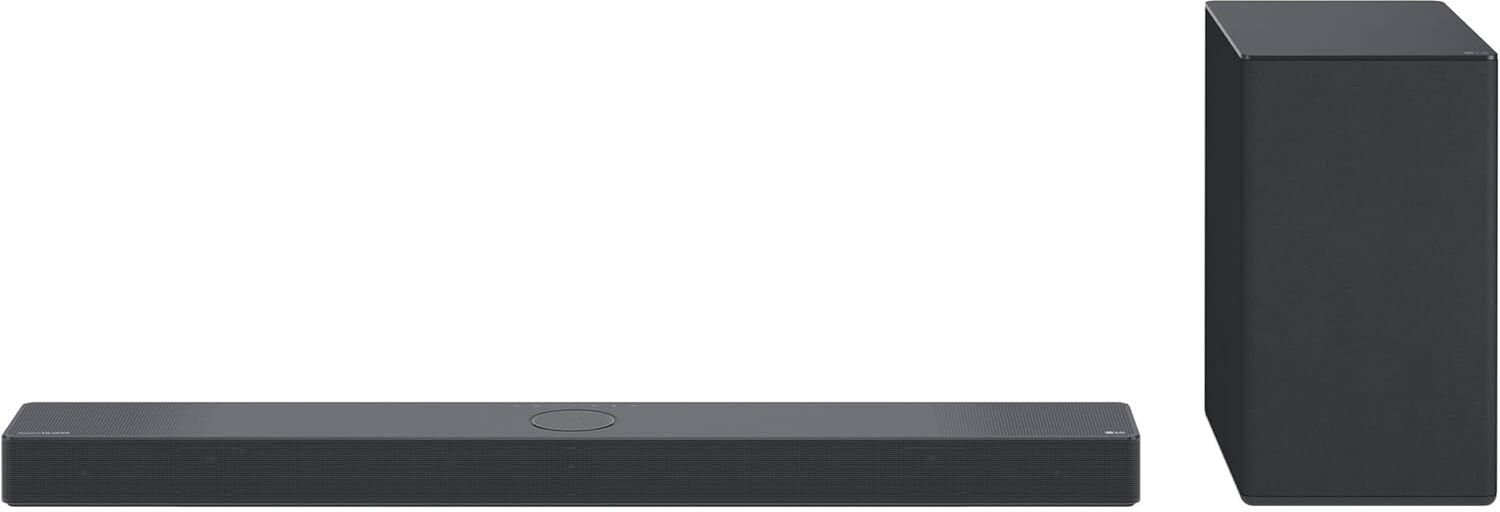
LG US60T 3.1Ch Bluetooth Soundbar with Wireless SubwooferThe LG US60T 3.1Ch Soundbar with wireless subwoofer delivers powerful, immersive sound with Bluetooth connectivity, perfect for upgrading your TV audio for movies, music, and gaming. Overview: Enhance your home entertainment with the LG US60T Soundbar, featuring a 3.1 channel system for rich, balanced audio. The included wireless subwoofer provides deep, punchy bass, while Bluetooth connectivity makes it easy to stream music and connect to your TV or other devices without messy cables. Sleek and modern in design, the US60T complements any living room setup and delivers cinema-like sound in the comfort of your home. Key Features: 3.1 Channel Sound System – Clear dialogue, powerful bass, and immersive audio. Wireless Subwoofer – Adds depth with rich, room-filling low frequencies. Bluetooth Connectivity – Stream music or connect wirelessly to compatible TVs and devices. Powerful, Balanced Sound – Perfect for movies, music, and gaming. Sleek Design – Slim and modern to fit seamlessly in your home. Easy Setup – Hassle-free installation with wireless connections. TV & Device Compatibility – Works with most Bluetooth-enabled TVs and media players. Product Description: The LG US60T 3.1 Channel Bluetooth Soundbar with Wireless Subwoofer is the ideal upgrade for your home entertainment system. Designed to bring cinema-quality sound to your living room, it features 3.1 channels for clear dialogue and rich, detailed audio. The wireless subwoofer delivers deep, impactful bass, making movies and music more immersive. With Bluetooth connectivity, you can easily stream music from your smartphone, tablet, or connect directly to your TV without extra cables. Stylish, powerful, and easy to set up, the LG US60T delivers impressive sound that transforms your everyday viewing and listening experience.299,98 £*Shipping: 0,00 £Secure redirect to the provider
-
LG USC9S 3.1 Channel Bluetooth Soundbar – Dolby Atmos, Wireless Subwoofer, TV Audio System, New (Unsealed)Overview: The LG USC9S is a premium 3.1.3 channel soundbar designed to deliver immersive audio experiences. Featuring Dolby Atmos and DTS:X support, it creates a dynamic soundstage that brings movies, music, and games to life. The included wireless subwoofer adds deep bass, enhancing the overall audio performance. Key Features: 3.1.3 channel configuration delivers clear dialogue and immersive surround sound Dolby Atmos & DTS:X for cinematic audio with overhead sound effects Wireless subwoofer for rich, deep bass without extra wiring Bluetooth connectivity for wireless music streaming IMAX Enhanced Audio for high-resolution sound quality AI Room Calibration automatically adjusts sound settings to your room’s acoustics Sleek wall-mountable design complements your TV setup Product Description: The LG USC9S soundbar provides exceptional audio quality with its advanced 3.1.3 channel setup and support for Dolby Atmos and DTS:X. The wireless subwoofer enhances bass depth for a fuller sound experience. Stream your favourite music easily via Bluetooth, and enjoy high-resolution audio with IMAX Enhanced technology. AI Room Calibration optimizes sound based on your room environment. Its modern, wall-mountable design fits seamlessly into any home entertainment setup.699,00 £*Shipping: 0,00 £Secure redirect to the provider
-
Hisense AX3120Q 3.1.2 Wireless Soundbar with Dolby Atmos & DTS – 440W Bluetooth Home Cinema Speaker System with Wireless Subwoofer, New.gadcet-pdp{--g-green:#00a651;color:#1f2430;line-height:1.55;font-size:inherit;max-width:760px}.gadcet-pdp>*:first-child{margin-top:0}.gadcet-pdp p{margin:0 0.9em}.gadcet-pdp h3{font-size:1.05em;font-weight:600;color:#11161f;margin:1.4em 0.5em;padding-left:.5em;border-left:3px solid var(--g-green);border-radius:0;line-height:1.3}.gadcet-pdp ul{list-style:none!important;margin:0 0.9em;padding:0!important}.gadcet-pdp ul li{position:relative;padding:.1em 0.1em 1.5em;margin:0}.gadcet-pdp ul li::before{content:"";position:absolute;left:.16em;top:.45em;width:.36em;height:.66em;border:solid var(--g-green);border-width:0.14em.14em 0;transform:rotate(45deg)}.gadcet-pdp table{width:100%;border-collapse:collapse;margin:.3em 0 1em;font-size:.95em;border:1px solid #e7e9ee!important;border-radius:8px;overflow:hidden}.gadcet-pdp table td{padding:.5em.8em;border-bottom:1px solid #eef0f4!important;vertical-align:top}.gadcet-pdp table tr:last-child td{border-bottom:0!important}.gadcet-pdp table tr:nth-child(even){background:#f7f9f8}.gadcet-pdp table td:first-child{font-weight:600;color:#454c59;width:40%}@media (max-width:600px){.gadcet-pdp table td:first-child{width:42%}} Bring true cinematic sound into your living room with the Hisense AX3120Q 3.1.2 Wireless Soundbar. Combining 440W of total output, Dolby Atmos and DTS support with a 6.5-inch wireless subwoofer, it delivers immersive surround sound, deep bass and crystal-clear dialogue for films, music, sport and gaming. Key Features 3.1.2-channel surround sound with Dolby Atmos and DTS audio support 440W total output – 200W from the soundbar and 240W from the subwoofer 6.5-inch wireless subwoofer for deep, powerful bass DTS Virtual technology for a spacious surround effect without rear speakers Bluetooth 5.3 for wireless music streaming from compatible devices HDMI 2.1 eARC and HDMI pass-through, plus optical and USB 2.0 connections AI EQ mode and Room Fitting Tuning to optimise sound for your setup Hi-Concerto and EzPlay compatibility with supported Hisense televisions Game Pro mode and multiple sound modes for movies, music, news, sport and gaming ConnectLife app support and remote control operation Wall-mountable design in a sleek black finish Benefits Enjoy room-filling, three-dimensional audio without a complex multi-speaker setup Wireless subwoofer means flexible placement without extra cabling Simple connection to your TV via HDMI eARC, optical or Bluetooth Tailor the sound to whatever you're watching with dedicated audio modes Manage settings conveniently from your phone via the ConnectLife app Specifications Total Output 440W (200W soundbar / 240W subwoofer) Channel Configuration 3.1.2 Subwoofer 6.5-inch wireless Audio Technologies Dolby Atmos, DTS, DTS Virtual, AI EQ, Room Fitting Tuning, Pure Surround, Hi-Concerto Connectivity Bluetooth 5.3, HDMI 2.1 eARC, HDMI pass-through, optical, USB 2.0 App Support Hisense ConnectLife, EzPlay Finish Black, wall-mountable What You'll Receive Hisense AX3120Q 3.1.2...464,99 £*Shipping: 0,00 £Secure redirect to the provider


-
How can I link games with Discord?
To link games with Discord, you can use the Discord Rich Presence feature. This feature allows games to display information such as the player's current status, the game they are playing, and more directly on their Discord profile. Game developers can integrate this feature into their games using the Discord SDK, which provides the necessary tools and documentation to enable Rich Presence functionality. By linking games with Discord in this way, players can easily share their gaming activity with friends and communities on the platform. **
-
How do I link two Epic Games Accounts?
To link two Epic Games Accounts, you will need to visit the Epic Games website and log in to the account you want to keep. Then, go to the "Connected Accounts" section in your account settings and select the option to link another account. Follow the prompts to enter the login information for the second account you want to link. Once completed, both accounts will be linked, allowing you to access all your games and progress from both accounts. **
-
How can I link Ubisoft games with Steam?
To link Ubisoft games with Steam, you can do so by launching the Uplay client and logging into your Ubisoft account. Once logged in, go to the "Games" tab and select "Link Steam Account." Follow the prompts to connect your Steam account to Uplay. This will allow you to access and play your Ubisoft games through the Uplay client while still utilizing the features of Steam. **
-
How do I link Epic Games with PSN?
To link your Epic Games account with your PlayStation Network (PSN) account, you can follow these steps: 1. Go to the Epic Games website and log in to your account. 2. Navigate to the "Connected Accounts" section in your account settings. 3. Select the option to connect your PSN account and follow the prompts to log in and link the accounts. 4. Once linked, you will be able to access your Epic Games purchases and progress on your PlayStation console. **


Which is better, a soundbar with surround sound or an adaptive soundbar?
It ultimately depends on your specific needs and preferences. A soundbar with surround sound typically offers a more immersive audio experience, with separate speakers to create a more realistic surround sound effect. On the other hand, an adaptive soundbar is designed to analyze the acoustics of your room and adjust the sound output accordingly, providing a more customized listening experience. If you prioritize a more immersive surround sound experience, a soundbar with surround sound may be better for you. However, if you value a more personalized and adaptable audio experience, an adaptive soundbar may be the better choice. **
How can I link the Rockstar Games Launcher with Steam to play games?
To link the Rockstar Games Launcher with Steam to play games, you can follow these steps: 1. Open the Rockstar Games Launcher and log in to your account. 2. Go to the settings menu in the launcher and select the "Game" tab. 3. Click on the "Detect Steam" button to link your Steam account with the Rockstar Games Launcher. 4. Once linked, you should be able to access and play your Rockstar Games library through the launcher, including any games you own on Steam. **
Top-Angebote
Products related to Moodbox-Games-Link-Out:
-
Moodbox Games Link Out Loud Card Game - Word AssociationBring quick thinking and imaginative word connections to the table with Link Out Loud, a lively card game for groups. Players use single-word clues to create links between visual symbols, aiming to make clever connections before the moment passes. Everyone takes part at the same time, keeping each round active and encouraging spontaneous ideas. The flexible format supports team play or cooperative play, making it easy to tailor the game to the group around the table. Key features: - A fast-moving word-association card game - Uses visual symbols and one-word clues - Simultaneous play keeps the whole group involved - Suitable for family game nights, parties, and social gatherings - Designed for 2 to 8 players aged 8 years and over - With rounds of about 20 minutes, Link Out Loud is a compact choice for a quick challenge or an energetic addition to a games night.12,99 £*Shipping: 3,95 £Secure redirect to the provider
-
Moodbox Games Guess The Mess - Deduction Game with Mess Cards - Board GamesGet ready for a lively deduction game where everyday chaos becomes the clue. In Guess The Mess, players use mess cards to uncover hints about secret locations and work out where each jumble belongs. Each round challenges you to inspect a strange collection of mess, interpret the clues, and make your best guess. Once you have considered your own cards, pass your mess to a neighbouring player and try to decode the new chaos you receive. The changing information keeps every round unpredictable and encourages plenty of discussion, deduction, and laughter. Key features: Explore the mess cards and look for clues. Use the clues to identify the secret location. Pass your mess to a neighbour. Guess where the new mess belongs. With its simple concept and social gameplay, this compact board game from Moodbox Games is suited to group game sessions and family entertainment. Players must connect unusual clues with possible locations while adapting to the mess passed around the table.16,99 £*Shipping: 3,95 £Secure redirect to the provider
-
Moodbox Games Photo Dump - Social Party Game with Personal PhotosTurn the photos on your phone into prompts for laughter, stories, and surprising guesses with Photo Dump, a fast-paced social party game from Moodbox Games. Players use images from their personal photo libraries as clues, challenging everyone else to work out which prompt or idea the picture represents. The game encourages spontaneous conversation and shared memories without requiring an app, downloads, or additional equipment. To play, choose a prompt or assigned idea, select a suitable image from your personal photo library, share the image as a clue, and let the other players guess. Compare the answers, reveal the intended connection, and continue the fun. Designed for face-to-face play, Photo Dump is suited to relaxed gatherings and group game nights. Its compact format makes it easy to bring along, while the use of personal photos ensures that every game can create different conversations and unexpected moments.12,99 £*Shipping: 3,95 £Secure redirect to the provider
-
LG US60T 3.1Ch Bluetooth Soundbar with Wireless SubwooferThe LG US60T 3.1Ch Soundbar with wireless subwoofer delivers powerful, immersive sound with Bluetooth connectivity, perfect for upgrading your TV audio for movies, music, and gaming. Overview: Enhance your home entertainment with the LG US60T Soundbar, featuring a 3.1 channel system for rich, balanced audio. The included wireless subwoofer provides deep, punchy bass, while Bluetooth connectivity makes it easy to stream music and connect to your TV or other devices without messy cables. Sleek and modern in design, the US60T complements any living room setup and delivers cinema-like sound in the comfort of your home. Key Features: 3.1 Channel Sound System – Clear dialogue, powerful bass, and immersive audio. Wireless Subwoofer – Adds depth with rich, room-filling low frequencies. Bluetooth Connectivity – Stream music or connect wirelessly to compatible TVs and devices. Powerful, Balanced Sound – Perfect for movies, music, and gaming. Sleek Design – Slim and modern to fit seamlessly in your home. Easy Setup – Hassle-free installation with wireless connections. TV & Device Compatibility – Works with most Bluetooth-enabled TVs and media players. Product Description: The LG US60T 3.1 Channel Bluetooth Soundbar with Wireless Subwoofer is the ideal upgrade for your home entertainment system. Designed to bring cinema-quality sound to your living room, it features 3.1 channels for clear dialogue and rich, detailed audio. The wireless subwoofer delivers deep, impactful bass, making movies and music more immersive. With Bluetooth connectivity, you can easily stream music from your smartphone, tablet, or connect directly to your TV without extra cables. Stylish, powerful, and easy to set up, the LG US60T delivers impressive sound that transforms your everyday viewing and listening experience.299,98 £*Shipping: 0,00 £Secure redirect to the provider
-
How can one link Synapse games?
To link Synapse games, one can create an account on the Synapse website and log in. Once logged in, navigate to the "Games" section and select the game you want to link. Follow the prompts to link your account for that specific game. This will allow you to access your game progress and account information across different devices. **
-
Can I play all games on the TV with Valve's Steam Link?
Yes, you can play all games on the TV with Valve's Steam Link. The Steam Link allows you to stream games from your computer to your TV, so as long as the game is available in your Steam library and is compatible with the Steam Link, you can play it on your TV. However, it's important to note that some games may not be optimized for streaming and may not work as well as others. **
-
How can I link games with Discord?
To link games with Discord, you can use the Discord Rich Presence feature. This feature allows games to display information such as the player's current status, the game they are playing, and more directly on their Discord profile. Game developers can integrate this feature into their games using the Discord SDK, which provides the necessary tools and documentation to enable Rich Presence functionality. By linking games with Discord in this way, players can easily share their gaming activity with friends and communities on the platform. **
-
How do I link two Epic Games Accounts?
To link two Epic Games Accounts, you will need to visit the Epic Games website and log in to the account you want to keep. Then, go to the "Connected Accounts" section in your account settings and select the option to link another account. Follow the prompts to enter the login information for the second account you want to link. Once completed, both accounts will be linked, allowing you to access all your games and progress from both accounts. **
Similar search terms for Moodbox-Games-Link-Out
-
LG USC9S 3.1 Channel Bluetooth Soundbar – Dolby Atmos, Wireless Subwoofer, TV Audio System, New (Unsealed)Overview: The LG USC9S is a premium 3.1.3 channel soundbar designed to deliver immersive audio experiences. Featuring Dolby Atmos and DTS:X support, it creates a dynamic soundstage that brings movies, music, and games to life. The included wireless subwoofer adds deep bass, enhancing the overall audio performance. Key Features: 3.1.3 channel configuration delivers clear dialogue and immersive surround sound Dolby Atmos & DTS:X for cinematic audio with overhead sound effects Wireless subwoofer for rich, deep bass without extra wiring Bluetooth connectivity for wireless music streaming IMAX Enhanced Audio for high-resolution sound quality AI Room Calibration automatically adjusts sound settings to your room’s acoustics Sleek wall-mountable design complements your TV setup Product Description: The LG USC9S soundbar provides exceptional audio quality with its advanced 3.1.3 channel setup and support for Dolby Atmos and DTS:X. The wireless subwoofer enhances bass depth for a fuller sound experience. Stream your favourite music easily via Bluetooth, and enjoy high-resolution audio with IMAX Enhanced technology. AI Room Calibration optimizes sound based on your room environment. Its modern, wall-mountable design fits seamlessly into any home entertainment setup.699,00 £*Shipping: 0,00 £Secure redirect to the provider
-
Hisense AX3120Q 3.1.2 Wireless Soundbar with Dolby Atmos & DTS – 440W Bluetooth Home Cinema Speaker System with Wireless Subwoofer, New.gadcet-pdp{--g-green:#00a651;color:#1f2430;line-height:1.55;font-size:inherit;max-width:760px}.gadcet-pdp>*:first-child{margin-top:0}.gadcet-pdp p{margin:0 0.9em}.gadcet-pdp h3{font-size:1.05em;font-weight:600;color:#11161f;margin:1.4em 0.5em;padding-left:.5em;border-left:3px solid var(--g-green);border-radius:0;line-height:1.3}.gadcet-pdp ul{list-style:none!important;margin:0 0.9em;padding:0!important}.gadcet-pdp ul li{position:relative;padding:.1em 0.1em 1.5em;margin:0}.gadcet-pdp ul li::before{content:"";position:absolute;left:.16em;top:.45em;width:.36em;height:.66em;border:solid var(--g-green);border-width:0.14em.14em 0;transform:rotate(45deg)}.gadcet-pdp table{width:100%;border-collapse:collapse;margin:.3em 0 1em;font-size:.95em;border:1px solid #e7e9ee!important;border-radius:8px;overflow:hidden}.gadcet-pdp table td{padding:.5em.8em;border-bottom:1px solid #eef0f4!important;vertical-align:top}.gadcet-pdp table tr:last-child td{border-bottom:0!important}.gadcet-pdp table tr:nth-child(even){background:#f7f9f8}.gadcet-pdp table td:first-child{font-weight:600;color:#454c59;width:40%}@media (max-width:600px){.gadcet-pdp table td:first-child{width:42%}} Bring true cinematic sound into your living room with the Hisense AX3120Q 3.1.2 Wireless Soundbar. Combining 440W of total output, Dolby Atmos and DTS support with a 6.5-inch wireless subwoofer, it delivers immersive surround sound, deep bass and crystal-clear dialogue for films, music, sport and gaming. Key Features 3.1.2-channel surround sound with Dolby Atmos and DTS audio support 440W total output – 200W from the soundbar and 240W from the subwoofer 6.5-inch wireless subwoofer for deep, powerful bass DTS Virtual technology for a spacious surround effect without rear speakers Bluetooth 5.3 for wireless music streaming from compatible devices HDMI 2.1 eARC and HDMI pass-through, plus optical and USB 2.0 connections AI EQ mode and Room Fitting Tuning to optimise sound for your setup Hi-Concerto and EzPlay compatibility with supported Hisense televisions Game Pro mode and multiple sound modes for movies, music, news, sport and gaming ConnectLife app support and remote control operation Wall-mountable design in a sleek black finish Benefits Enjoy room-filling, three-dimensional audio without a complex multi-speaker setup Wireless subwoofer means flexible placement without extra cabling Simple connection to your TV via HDMI eARC, optical or Bluetooth Tailor the sound to whatever you're watching with dedicated audio modes Manage settings conveniently from your phone via the ConnectLife app Specifications Total Output 440W (200W soundbar / 240W subwoofer) Channel Configuration 3.1.2 Subwoofer 6.5-inch wireless Audio Technologies Dolby Atmos, DTS, DTS Virtual, AI EQ, Room Fitting Tuning, Pure Surround, Hi-Concerto Connectivity Bluetooth 5.3, HDMI 2.1 eARC, HDMI pass-through, optical, USB 2.0 App Support Hisense ConnectLife, EzPlay Finish Black, wall-mountable What You'll Receive Hisense AX3120Q 3.1.2...464,99 £*Shipping: 0,00 £Secure redirect to the provider
-
Moodbox Games Who Says? The Lord of the Rings - Quote-Guessing Party Game - Party GamePut your knowledge of Middle-earth’s most memorable characters to the test with this quote-guessing party game. Who Says? The Lord of the Rings challenges players to identify which character delivered each quotation from The Lord of the Rings film trilogy. Listen carefully, trust your knowledge of the story, and decide whether the quote is genuine or made up. Correct answers earn points, while convincing fakes and familiar lines can test even devoted fans. To play, read a quotation aloud and identify the character who said it, or decide whether it is fictional. Score points for correct answers and continue until the game ends. With its compact format and accessible quiz-style play, this is a convenient choice for Lord of the Rings fans, film-night gatherings, and casual group games. It is designed for social play where recognizing characters, recalling famous moments, and spotting invented quotes are all part of the challenge.12,99 £*Shipping: 3,95 £Secure redirect to the provider
-
LG USG10TY 3.1 Dolby Atmos Wireless Soundbar with Subwoofer Black3.1-channel sound bar system delivering 420W total power output with Dolby Atmos spatial audio technology. Wireless subwoofer connects via Bluetooth 5.1, while the main unit features HDMI and optical inputs for seamless connectivity. LG Sound Bar app enables easy control and customization of audio settings.526,49 £*Shipping: 0,00 £Secure redirect to the provider
-
How can I link Ubisoft games with Steam?
To link Ubisoft games with Steam, you can do so by launching the Uplay client and logging into your Ubisoft account. Once logged in, go to the "Games" tab and select "Link Steam Account." Follow the prompts to connect your Steam account to Uplay. This will allow you to access and play your Ubisoft games through the Uplay client while still utilizing the features of Steam. **
-
How do I link Epic Games with PSN?
To link your Epic Games account with your PlayStation Network (PSN) account, you can follow these steps: 1. Go to the Epic Games website and log in to your account. 2. Navigate to the "Connected Accounts" section in your account settings. 3. Select the option to connect your PSN account and follow the prompts to log in and link the accounts. 4. Once linked, you will be able to access your Epic Games purchases and progress on your PlayStation console. **
-
Which is better, a soundbar with surround sound or an adaptive soundbar?
It ultimately depends on your specific needs and preferences. A soundbar with surround sound typically offers a more immersive audio experience, with separate speakers to create a more realistic surround sound effect. On the other hand, an adaptive soundbar is designed to analyze the acoustics of your room and adjust the sound output accordingly, providing a more customized listening experience. If you prioritize a more immersive surround sound experience, a soundbar with surround sound may be better for you. However, if you value a more personalized and adaptable audio experience, an adaptive soundbar may be the better choice. **
-
How can I link the Rockstar Games Launcher with Steam to play games?
To link the Rockstar Games Launcher with Steam to play games, you can follow these steps: 1. Open the Rockstar Games Launcher and log in to your account. 2. Go to the settings menu in the launcher and select the "Game" tab. 3. Click on the "Detect Steam" button to link your Steam account with the Rockstar Games Launcher. 4. Once linked, you should be able to access and play your Rockstar Games library through the launcher, including any games you own on Steam. **
* All prices are inclusive of VAT and, if applicable, plus shipping costs. The offer information is based on the details provided by the respective shop and is updated through automated processes. Real-time updates do not occur, so deviations can occur in individual cases. ** Note: Parts of this content were created by AI.